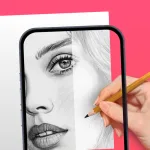
AR Drawing: Sketch & Paint transforms the way enthusiasts approach artistic creation by merging traditional sketching with augmented reality technology. This innovative solution allows users to project digital images onto physical surfaces, making it easier to trace and refine complex designs with precision. Whether you are a beginner looking to improve your strokes or a professional seeking a faster workflow, this tool bridges the gap between digital inspiration and physical art.
AR Drawing: Sketch & Paint
AR Drawing
Download
131.96 MB
AR Drawing: Sketch & Paint Screenshots
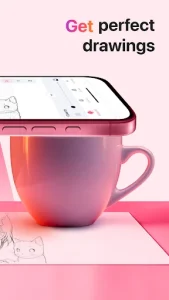

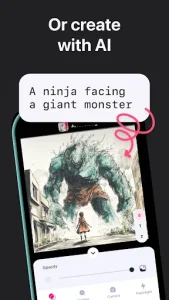
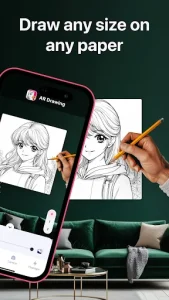
1 / 6
131.96 MB
Size
5.0.0
Version
6.0+
Android
Universal
Arch
About AR Drawing: Sketch & Paint
AR Drawing: Sketch & Paint transforms the way enthusiasts approach artistic creation by merging traditional sketching with augmented reality technology. This innovative solution allows users to project digital images onto physical surfaces, making it easier to trace and refine complex designs with precision. Whether you are a beginner looking to improve your strokes or a professional seeking a faster workflow, this tool bridges the gap between digital inspiration and physical art.
Advanced Augmented Reality Tracing
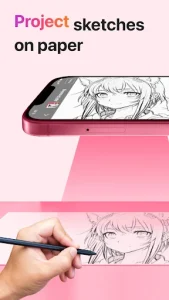
The core functionality relies on sophisticated AR algorithms that anchor digital outlines to your paper or canvas through the camera lens. By securing your smartphone on a stand, you can look through the screen to see a transparent overlay of your chosen image directly on your drawing surface. This method eliminates the frustration of incorrect proportions and helps artists master perspective without the need for expensive lightboxes or traditional projectors.
Extensive Built-in Template Library
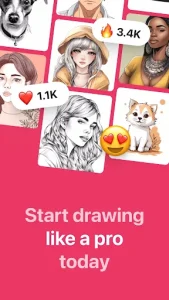
Users have access to a vast collection of categorized sketches ranging from intricate portraits and landscapes to minimalist anime characters and calligraphy. This diverse library ensures that there is always something new to practice, catering to various skill levels and artistic preferences. Beyond the pre-loaded content, the platform allows you to import your own photos from the gallery, instantly converting personal memories into traceable line art for a customized creative experience.
Integrated Time-lapse Video Recording
Capturing the evolution of a masterpiece is effortless thanks to the built-in recording feature that documents every stroke of your journey. This tool records the entire process in high definition, allowing you to share your progress or tutorials on social media platforms with ease. Watching your artwork come to life from a blank page to a finished piece provides valuable insights into your technique and serves as a great way to engage with the global art community.
Customizable Drawing Tools
Precision is key when working on detailed projects, and AR Drawing: Sketch & Paint provides several adjustment options to enhance the tracing experience. You can modify the transparency of the image overlay to suit different lighting conditions or lock the screen to prevent accidental movements while sketching. These small yet significant features ensure that the digital guide remains stable, allowing for a seamless transition between the screen and the physical medium.
Flashlight Support for Clarity
Drawing in low-light environments is no longer a challenge because this solution integrates direct control over your device’s LED flash. By illuminating the workspace through the interface, you can maintain high visibility of your paper and pencil even when external lighting is suboptimal. This practical addition ensures that your creative flow remains uninterrupted regardless of your surroundings, making it a reliable companion for late-night inspiration or dimly lit studio spaces.
Frequently Asked Questions
While not strictly mandatory, using a stable stand or tripod is highly recommended to keep your phone steady. This ensures that the AR projection remains perfectly aligned with your paper throughout the entire drawing process.
Yes, the interface is designed to be intuitive and user-friendly for artists of all ages. It provides a fun and educational way for children to develop fine motor skills and learn the basics of drawing through guided tracing.
Absolutely, you can select any image from your device’s gallery and convert it into a traceable sketch. The software automatically processes the image to highlight outlines, making it easy to turn personal photos into hand-drawn art.
Additional APP Information
Package Name
ar.drawing.sketch.paint.trace.draw.picture.paper
Developer
AR Drawing
Category
Updated
Feb 5, 2026
Content Rating
Everyone
Signature
d5653db511848b67a5ead80d62fb10ed35b31452
Get it On

You are now ready to download AR Drawing: Sketch & Paint for free. Here are some notes:
- Please read our APK Info and installation instructions carefully for the game & app to work properly
- Read the FAQ carefully for more details
4.4/5 (2,682 votes)